Free JPG to PDF Converter
A free JPG to PDF converter should let you create the document, download it and move on without adding watermarks or account friction.
Quick answer
What you need to know first
A free JPG to PDF converter should let you create the document, download it and move on without adding watermarks or account friction.
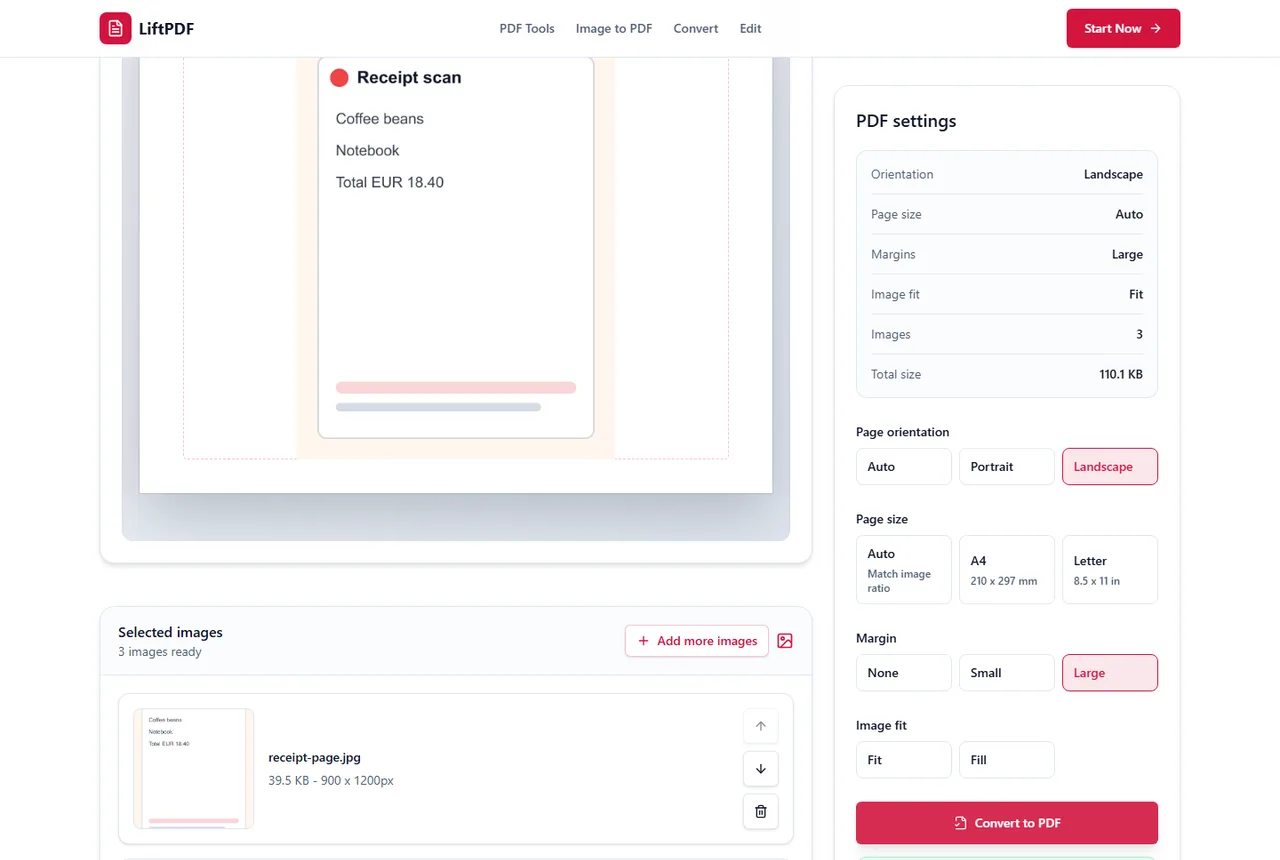
- 1Open the free JPG to PDF tool.
- 2Upload your images.
- 3Choose layout settings.
- 4Download the PDF.
What free should mean
For a basic image-to-PDF task, free should mean no watermark on the output, no surprise account requirement before download and no unnecessary workflow detour.
LiftPDF keeps JPG to PDF direct for current use: image selection, live preview, settings and download.
How to keep the PDF looking sharp
The final PDF can only be as sharp as the source JPG. Start with the highest-resolution original image you have, avoid screenshots of screenshots, and do not repeatedly resave the same JPG before converting.
Use Auto page size with no margin when you want the PDF page to follow the image ratio. Use A4 or Letter when a school, office or upload portal requires a standard document page.
- Fit keeps the full image visible.
- Fill covers the page but can crop edges.
- Large margins are useful for printing notes, not for maximum image size.
Privacy and browser processing
LiftPDF creates the PDF in your browser for supported JPG files. The conversion does not need a document upload API, which is useful when photos include IDs, receipts, contracts, class notes or personal records.
This does not replace careful file handling, but it removes a common risk in online converters: sending private images to a remote conversion queue for a simple PDF task.
FAQ
Questions about JPG to PDF
Can I convert JPG to PDF for free?
Yes. LiftPDF lets you convert JPG and JPEG images into a PDF for free in your browser.
Can I convert multiple JPG files into one PDF?
Yes. Add multiple JPG images, arrange them in the right order and export one PDF with each image on its own page.
Will converting JPG to PDF reduce quality?
LiftPDF places the original image into a PDF page. Quality mainly depends on the source image resolution and the layout choices you make.
Are my JPG files uploaded?
For supported files, the PDF is generated locally in your browser. Your images do not need to be uploaded to a server for conversion.
Does LiftPDF add a watermark?
No. The JPG to PDF output is not watermarked by LiftPDF.
Editorial note
LiftPDF Editorial Team
LiftPDF articles are written against the behavior of the public LiftPDF tools. We avoid fake expert bylines, invented claims and workflows that the product cannot actually perform.
Published Jul 15, 2026. Last updated Jul 16, 2026.