Upload JPG files
Drop one or more JPG images into the tool or choose them from your device.
Free online PDF tool
Upload JPG or JPEG images, arrange them in the right order and convert them into a single PDF.
Drop files here or choose files. Upload JPG or JPEG images. Each image will become one PDF page.
Visual guide
Use the preview as a mental model: choose files, adjust only the settings that matter, then download the final document or image output. The workflow is designed to stay simple even with many pages.
Simple workflow
Drop one or more JPG images into the tool or choose them from your device.
Set page size, orientation, margins and fit mode while watching the live preview.
LiftPDF creates the PDF locally, so the images do not need to leave your device.
Save a clean PDF with each image placed in the order you selected.
Practical reasons
JPG is great for photos, but PDF is easier to submit, print and archive.
Convert camera scans, receipts and ID photos into one consistent document.
Use Auto for natural image pages or A4/Letter when a standard document page is required.
Built for everyday files
Your files are processed locally in the browser instead of being sent to a server.
Create a PDF from one image or a full set without waiting for remote upload queues.
Use the same workflow on Windows, macOS, Linux, iPhone, iPad or Android browsers.
Choose page size, orientation, margin and image fit before generating the file.
Reorder, remove and add files before converting, so the PDF pages match your final order.
No account, trial wall or watermark is added by LiftPDF.
Perfect for
Combine photographed notes, homework pages or class handouts into one file.
Send receipts, signed scans, product photos or proof documents as a compact PDF.
Share mockups, export previews or visual references in a format clients can open easily.
Turn selected images into a review document while keeping the order you choose.
Prepare identity documents, forms or supporting files for portals that expect PDFs.
Archive warranties, letters, family papers and scans without installing a desktop app.
Real workflow preview
These are real LiftPDF interface captures, not decorative mockups. They show how the page preview and final action state look during a normal browser workflow.
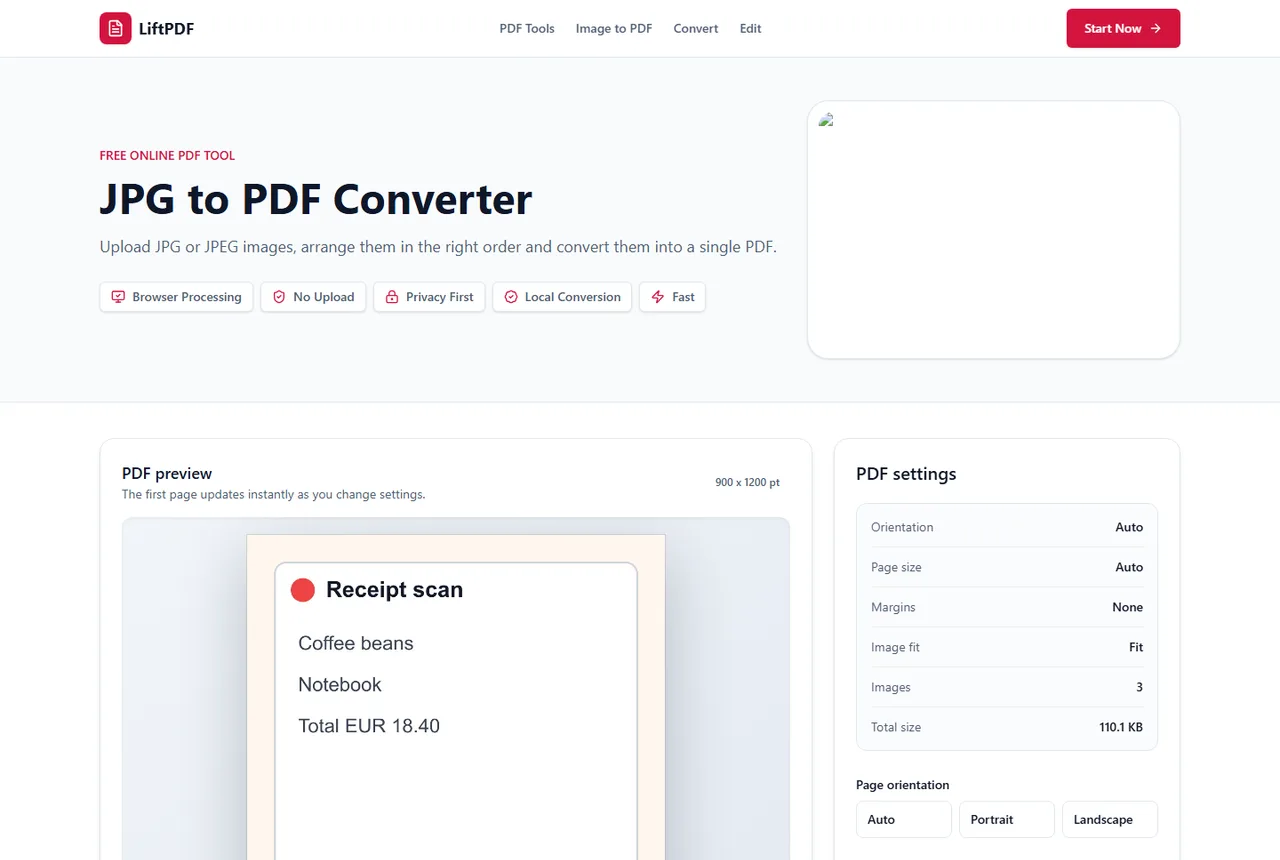
Upload JPG files, review thumbnails and choose the final PDF layout.
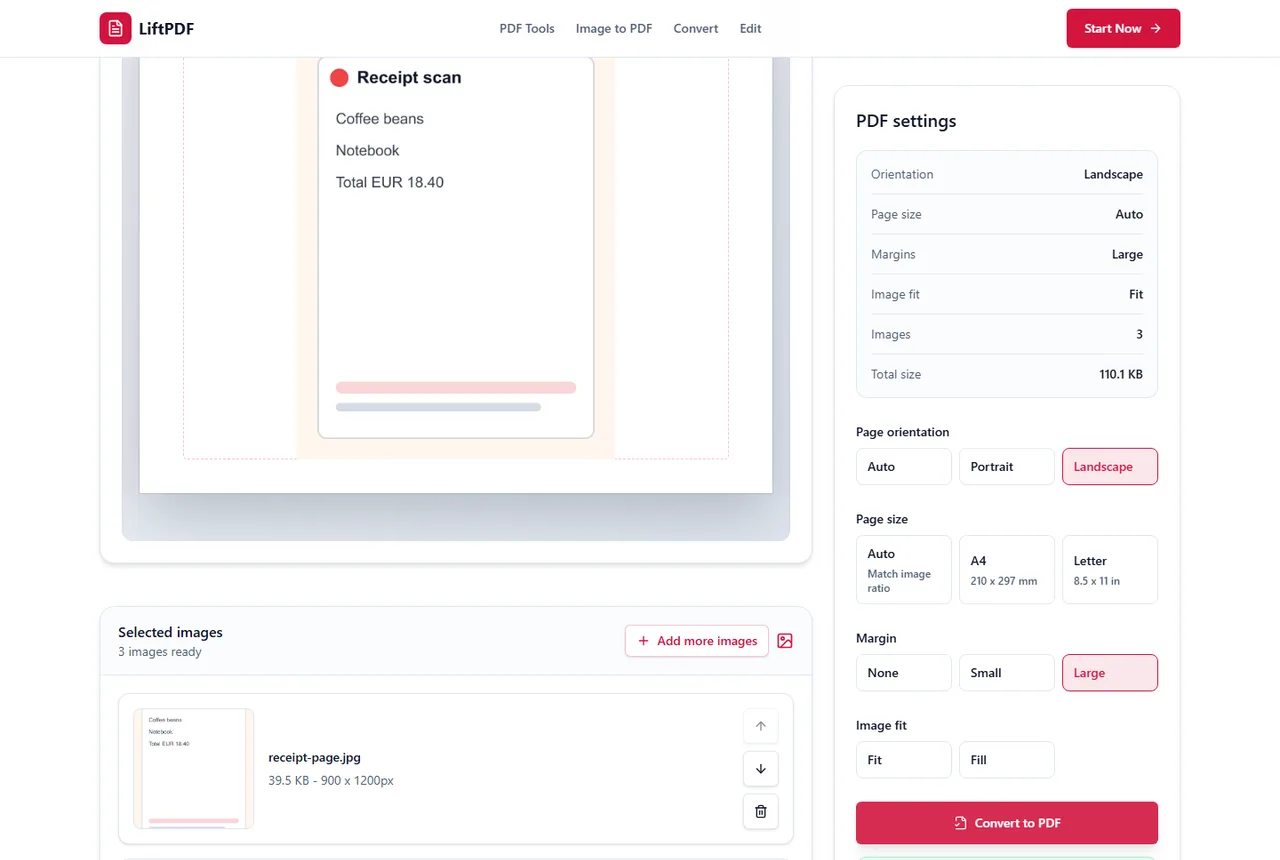
Download the generated PDF or start another JPG to PDF conversion.
Common problems
Blurry output usually starts with the source file. A small, compressed or repeatedly saved JPG cannot become sharper just because it is placed into a PDF.
Use the original image, Auto page size and Fit mode when preserving the full image matters.
Image PDFs carry the pixels from the images you add. Several high-resolution phone photos can naturally create a large PDF.
Remove duplicate images before conversion and use Compress PDF afterward if the final document must fit an upload or email limit.
The dedicated JPG to PDF tool accepts JPG and JPEG files. If the source is PNG, WEBP, HEIC or another format, use Images to PDF or the matching image tool.
Very large batches can also be limited by device memory because the conversion runs locally in your browser.
Complete guide
JPG files are convenient for photos and screenshots, but they are not always ideal when you need to submit a formal document. A PDF keeps related pages together, opens consistently on most systems and is easier to print without accidental resizing.
Use JPG to PDF when you have photographed documents, scanned receipts, class notes, signed pages or a group of images that should travel as one file. If the images contain transparency or sharp interface graphics, PNG to PDF may be a better source format.
For photos and scans, start with Auto page size and no margin. This keeps the PDF close to the original image ratio. Choose A4 or Letter when the PDF must match a printer or upload portal requirement.
Fit keeps the full image visible. Fill is useful when you want the page covered edge to edge and can accept cropping. Before converting, reorder images so page one is really the first document page.
LiftPDF performs the conversion in your browser. That means private documents, IDs and work files do not need to be uploaded to a remote conversion server. This also keeps the workflow quick for normal files because the browser can begin processing immediately.
Privacy comparison
Keep working
Use this when your source images are PNG files or include transparency.
Open toolImages to PDFCombine JPG, PNG and WEBP images in one mixed-format PDF.
Open toolPDF to JPGExport finished PDF pages back into JPG images when needed.
Open toolCompress PDFRebuild the final PDF with safe browser-side compression.
Open toolLiftPDF lets you turn JPG images into a PDF directly in your browser. Choose the page size, orientation, margins and image fit, then download a clean document without sending your files to a server.
Yes. Select or drop multiple images and each one will become a separate page in the PDF.
Yes. Use the move controls in the image list to place files in the exact page order you want.
LiftPDF embeds your images into the PDF page layout. Fit mode keeps the full image visible, while Fill can crop edges to cover the page.
Yes. You can use Auto, A4 or Letter page size, plus portrait, landscape or automatic orientation.
No. This converter runs in your browser, so the PDF is created locally on your device.
Yes. The tool works in modern mobile browsers, including Chrome, Safari, Edge and Firefox.
There is no LiftPDF upload limit because files are not sent to a server. Very large images can still be limited by your device memory.
After the page has loaded, the conversion itself happens locally in your browser. A network connection may still be needed to load the site.
Yes. JPG to PDF runs in the browser, so it works across Windows, macOS, Linux and mobile systems.
Keep working with tools that match this PDF workflow.
Private by design
LiftPDF is built around local browser processing. For the available tools, files are read by your browser, processed on your device and downloaded back to you.
The current tools process files in your browser using client-side PDF and image libraries.
Your selected documents do not need to be sent to a LiftPDF conversion server.
Sensitive files stay on your device during conversion, editing and export.
Protect and Unlock PDF use QPDF compiled to WebAssembly for local encryption tasks.
No server upload
You choose files in your browser.
PDF.js, pdf-lib or QPDF WASM runs the task locally.
The result is created for you to save.