Upload a PDF
Choose your PDF file from the device or drop it into the upload area.
Free online PDF tool
Drag and drop PDF pages into a new order, use accessible move buttons, then download a reordered PDF.
Drop your file here or choose files. Upload one PDF file, drag pages into a new order and download a reordered PDF.
Visual guide
Use the preview as a mental model: choose files, adjust only the settings that matter, then download the final document or image output. The workflow is designed to stay simple even with many pages.
Simple workflow
Choose your PDF file from the device or drop it into the upload area.
Check the file summary, pages or options before starting the operation.
Reorder Pages runs in the browser and prepares the new file locally.
Download a new PDF using the page order shown in the preview grid.
Practical reasons
Move PDF pages into the right sequence before sending a packet, report or scan.
The workflow runs locally in your browser, which keeps everyday documents private and avoids an upload queue.
Use the tool from modern desktop and mobile browsers without installing a PDF app.
Built for everyday files
The file is processed on your device with client-side PDF libraries.
Review the file, pages or selected options before downloading the result.
Use the tool without sign-in, subscriptions or trial walls.
The upload, options and download states remain usable on small screens.
Downloaded files use readable names instead of generic output.pdf labels.
Invalid files, unsupported states and empty selections are reported clearly.
Perfect for
Prepare class documents, notes and shared materials without desktop software.
Handle receipts, contracts, reports and client documents in a quick browser workflow.
Prepare files for portals, email attachments and formal submissions.
Adjust visual documents, proofs or exported PDF pages before sharing them.
Work with tickets, scans, confirmations and archives from your own device.
Complete small PDF fixes from a phone or tablet when you are away from a computer.
Real workflow preview
These are real LiftPDF interface captures, not decorative mockups. They show how the page preview and final action state look during a normal browser workflow.
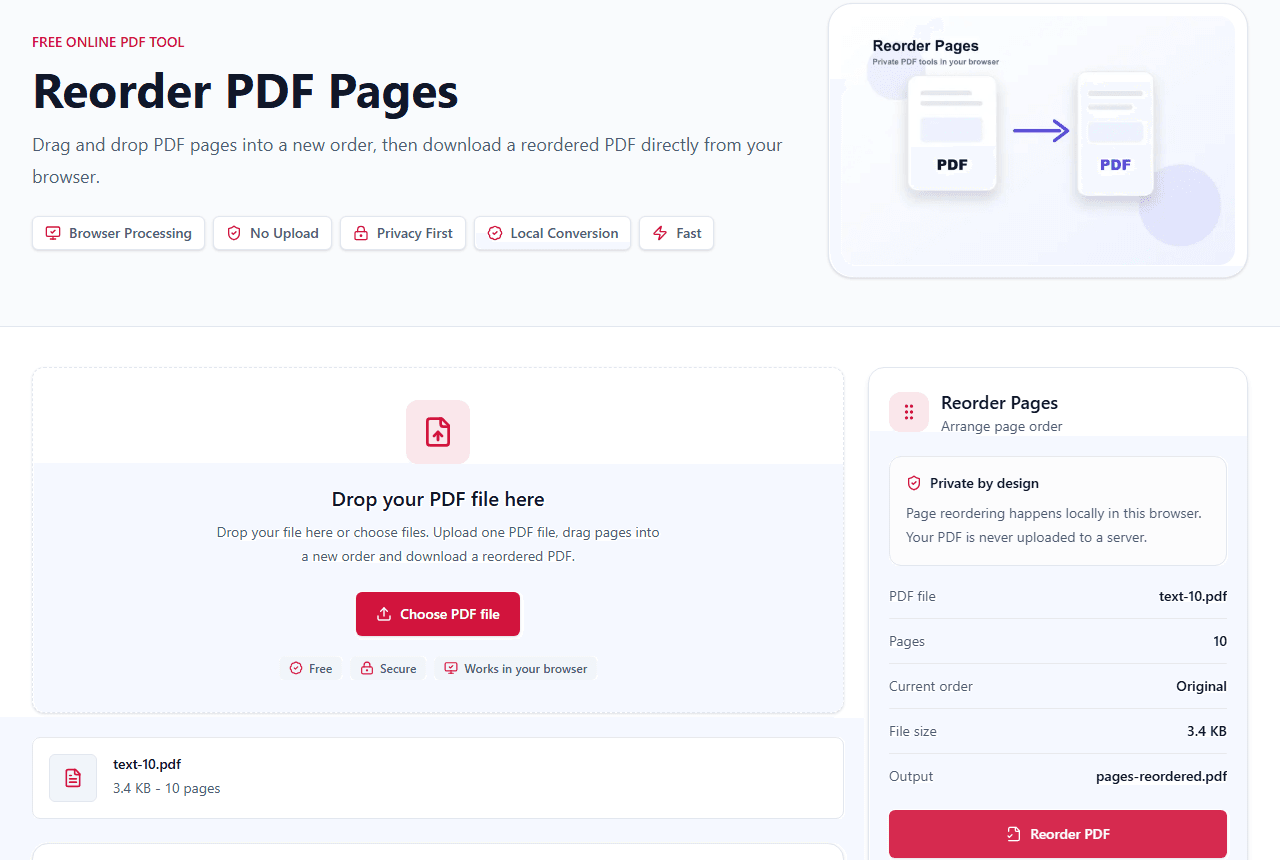
Original page numbers and current positions help you understand the document sequence before moving pages.
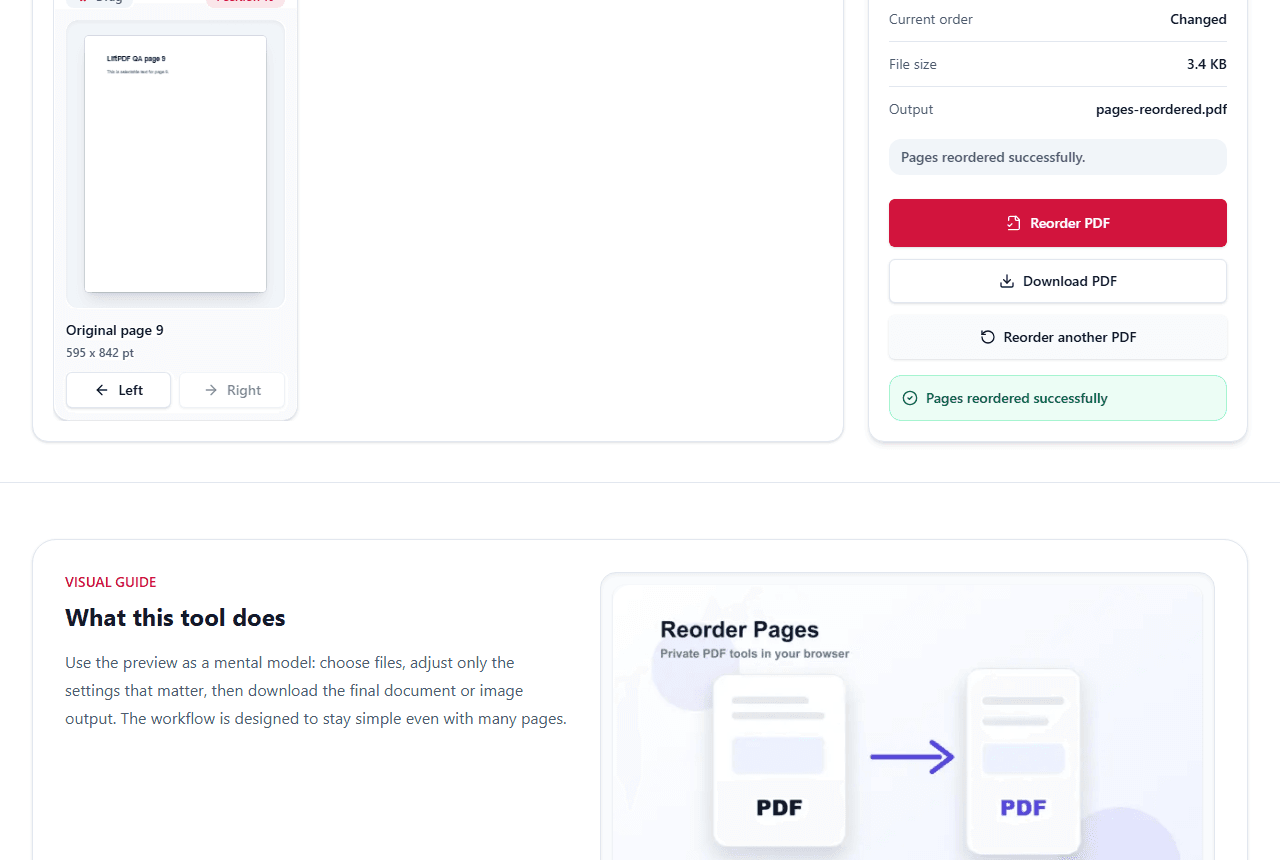
The reordered PDF is generated locally with pages copied in the exact order shown in the preview.
Common problems
Upload the PDF, move thumbnails into the correct sequence, then export. The output PDF follows the new order shown in the preview grid.
Drag the page to the first position on desktop, or use the move buttons on mobile and keyboard workflows until the page reaches position one.
The preview order is only applied after export. If the downloaded PDF still looks unchanged, confirm that at least one page was moved before clicking Reorder PDF.
Encrypted PDFs must be unlocked first with the correct password before pages can be rearranged and exported.
Complete guide
Scanned packets often arrive out of order. A thumbnail grid lets you identify pages visually and move them with drag and drop or accessible move buttons.
If you are combining several workflows, merge first, reorder second, then add page numbers or watermarks last.
Reordering changes page sequence, not page content. LiftPDF copies each page into a new document in the order shown by the preview grid.
Use Reset order if you want to return to the original sequence before exporting. On mobile, the move buttons provide the same control without relying on drag and drop.
Privacy comparison
Keep working
LiftPDF helps you reorder PDF pages without Adobe Acrobat. Preview every page, move thumbnails into the right sequence and export a new PDF locally while preserving page quality.
Yes. Reorder PDF Pages is free to use directly in your browser.
Upload your PDF, move page thumbnails into the correct sequence, then export. The downloaded PDF follows the preview order.
No. LiftPDF reads, previews and exports your PDF locally in your browser.
Yes. On desktop, drag pages into a new order. You can also use move buttons for keyboard and mobile control.
Yes. Every page has move buttons, so the tool remains usable on mobile and with keyboard navigation.
Yes. LiftPDF rearranges pages in your browser, so you do not need Acrobat, a desktop installer, or an account for basic page reordering.
Yes. Use Reset order to restore the original page sequence before exporting.
Yes. Mobile users can reorder pages with the left and right move buttons.
Password-protected PDFs must be unlocked first with Unlock PDF before pages can be rearranged.
Make sure at least one page was moved before exporting. The downloaded PDF uses the order shown in the page preview grid.
No. LiftPDF copies the original PDF pages into a new document in the order you choose.
Keep working with tools that match this PDF workflow.
Private by design
LiftPDF is built around local browser processing. For the available tools, files are read by your browser, processed on your device and downloaded back to you.
The current tools process files in your browser using client-side PDF and image libraries.
Your selected documents do not need to be sent to a LiftPDF conversion server.
Sensitive files stay on your device during conversion, editing and export.
Protect and Unlock PDF use QPDF compiled to WebAssembly for local encryption tasks.
No server upload
You choose files in your browser.
PDF.js, pdf-lib or QPDF WASM runs the task locally.
The result is created for you to save.