How to Extract PDF Pages Without Adobe
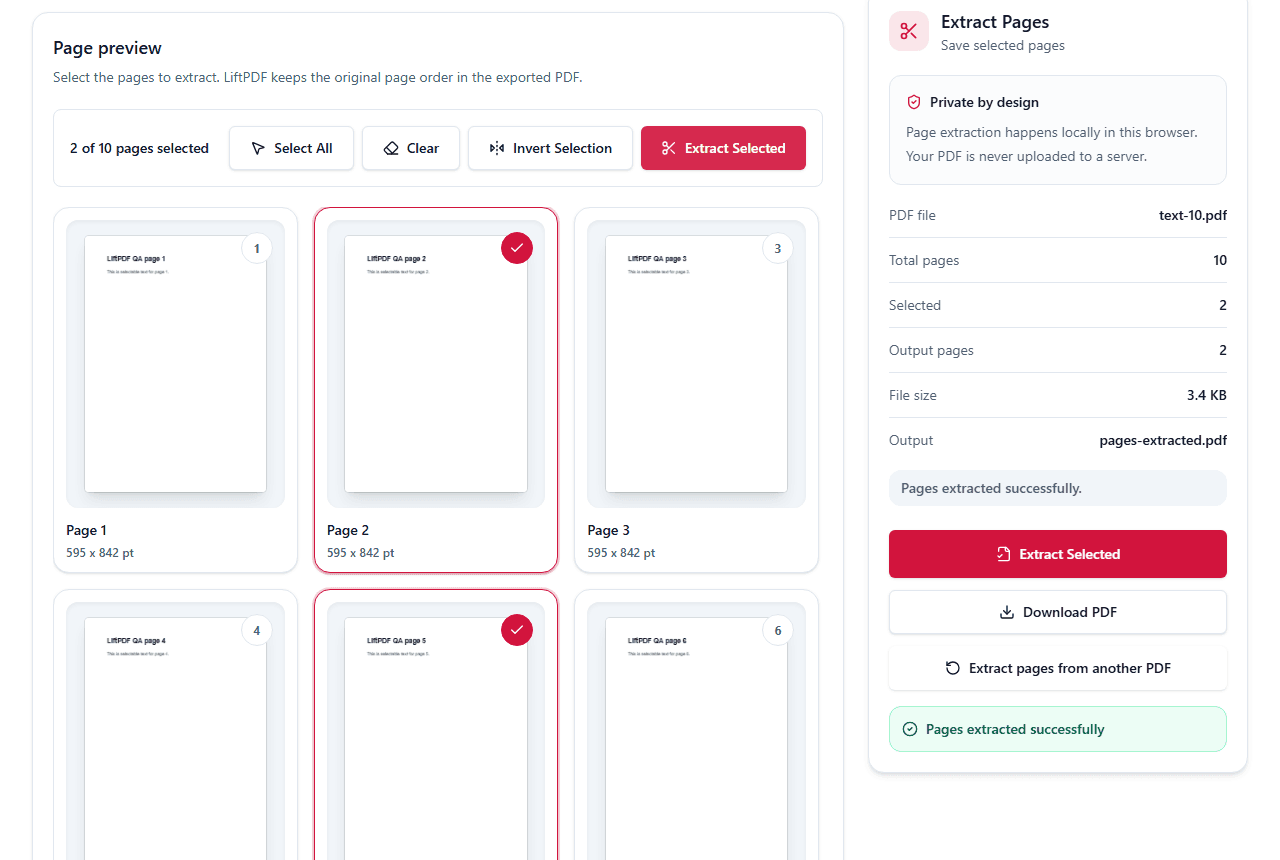
You do not need Adobe Acrobat for basic page extraction. LiftPDF lets you select PDF pages and export them in your browser.
Quick answer
What you need to know first
You do not need Adobe Acrobat for basic page extraction. LiftPDF lets you select PDF pages and export them in your browser.
- 1Open the browser-based Extract Pages tool.
- 2Upload the PDF from your device.
- 3Select the pages you want to save.
- 4Export the selected pages.
- 5Download the new PDF.
What you can do without Acrobat
For basic extraction, you can create a new PDF from selected pages without installing Acrobat. The key requirement is that the PDF can be read by the browser.
LiftPDF is designed for this everyday task: preview pages, pick what you need, and download the result.
When Acrobat may still be needed
Complex enterprise workflows, redaction, prepress tools, advanced forms and heavily damaged PDFs may need dedicated desktop software.
LiftPDF should be used when you need a fast, private page extraction workflow, not a full Acrobat replacement for every professional editing scenario.
Why browser processing matters
Traditional online tools often upload the PDF before processing. LiftPDF focuses on browser-side processing for supported files, which is better for private everyday documents.
Extract pages now
Use the visual page picker to save selected pages into a new PDF.
Extract without AdobeFAQ
Questions about this workflow
Is LiftPDF a replacement for Adobe Acrobat?
No. LiftPDF is a focused browser tool for common PDF tasks. It is useful when you need quick page extraction without a full desktop editor.
Do I need an account?
No. You can use the Extract Pages tool without creating an account.
Can I use it on Windows or Mac?
Yes. It works in modern browsers on Windows, macOS, Linux and mobile devices.
Editorial note
LiftPDF Editorial Team
LiftPDF articles are written against the behavior of the public LiftPDF tools. We avoid fake expert bylines, invented claims and workflows that the product cannot actually perform.
Published Jul 15, 2026. Last updated Jul 16, 2026.