Merge PDF: LiftPDF vs iLovePDF
iLovePDF is a well-known PDF tool suite. LiftPDF's Merge PDF tool aims to be quieter, privacy-focused and direct for users who want a clean browser merge.
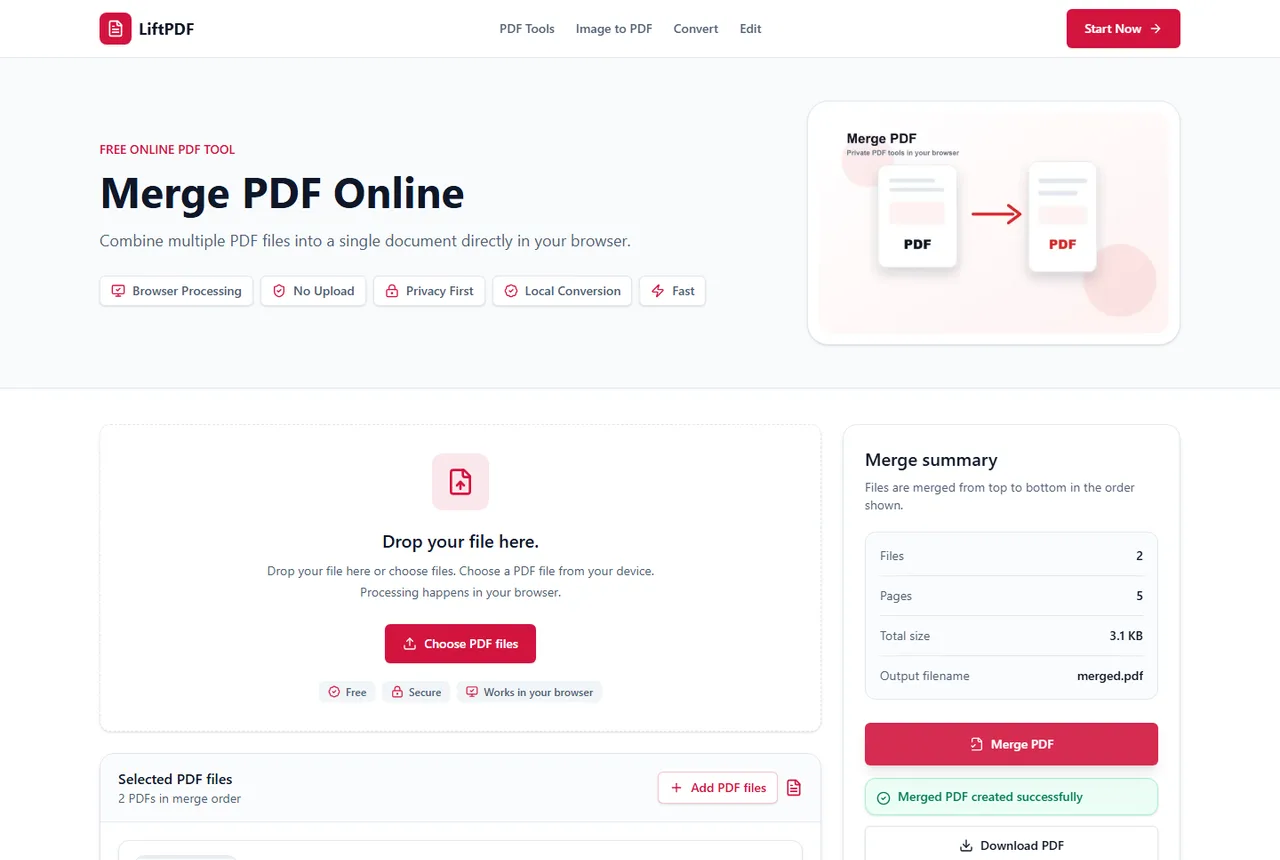
Quick answer
What you need to know first
iLovePDF is a well-known PDF tool suite. LiftPDF's Merge PDF tool aims to be quieter, privacy-focused and direct for users who want a clean browser merge.
- 1Use iLovePDF if you prefer its established suite.
- 2Use LiftPDF if you want browser-side processing for a simple merge.
- 3Add your PDFs.
- 4Check the file order.
- 5Merge and download the result.
Where iLovePDF is stronger
iLovePDF has a broad, mature tool set and very strong search visibility. Many users already know its PDF workflows.
Its scale is an advantage for users who need many PDF actions in one established platform.
Where LiftPDF is different
LiftPDF keeps the Merge PDF workflow deliberately simple: upload files, order them, merge and download.
The core positioning is privacy by design. For supported files, the browser performs the operation locally rather than relying on a backend upload step.
What LiftPDF should not copy
A good alternative does not need to copy another product's interface, wording or imagery. LiftPDF should compete by being clear, fast, honest and private.
Privacy and browser processing
LiftPDF merges PDFs in your browser for supported files. The pages are copied locally into a new document, so the workflow does not require a document upload API.
That matters for contracts, invoices, reports and personal records. You still need to use good judgment with sensitive files, but avoiding a server upload is a practical privacy advantage.
FAQ
Questions about merging PDFs
Is LiftPDF affiliated with iLovePDF?
No. LiftPDF is independent and does not copy iLovePDF content or design.
Why use LiftPDF instead?
Use LiftPDF when you want a simple no-account merge workflow designed around local browser processing.
Can I merge PDF files for free?
Yes. LiftPDF lets you merge PDF files for free in your browser.
Are my PDFs uploaded to a server?
For supported files, the merge runs locally in your browser. LiftPDF does not need a backend upload API to combine the pages.
Will PDF quality change after merging?
No. LiftPDF copies the original PDF pages into a new document instead of converting them into images.
Can I change the order before merging?
Yes. Reorder the PDF files in the list before exporting. The final PDF follows that order.
Editorial note
LiftPDF Editorial Team
LiftPDF articles are written against the behavior of the public LiftPDF tools. We avoid fake expert bylines, invented claims and workflows that the product cannot actually perform.
Published Jul 15, 2026. Last updated Jul 16, 2026.