How to Merge PDF Files Without Adobe
You do not need Adobe Acrobat for a basic PDF merge. If your files are readable PDFs, LiftPDF can combine them in the browser and download one merged document.
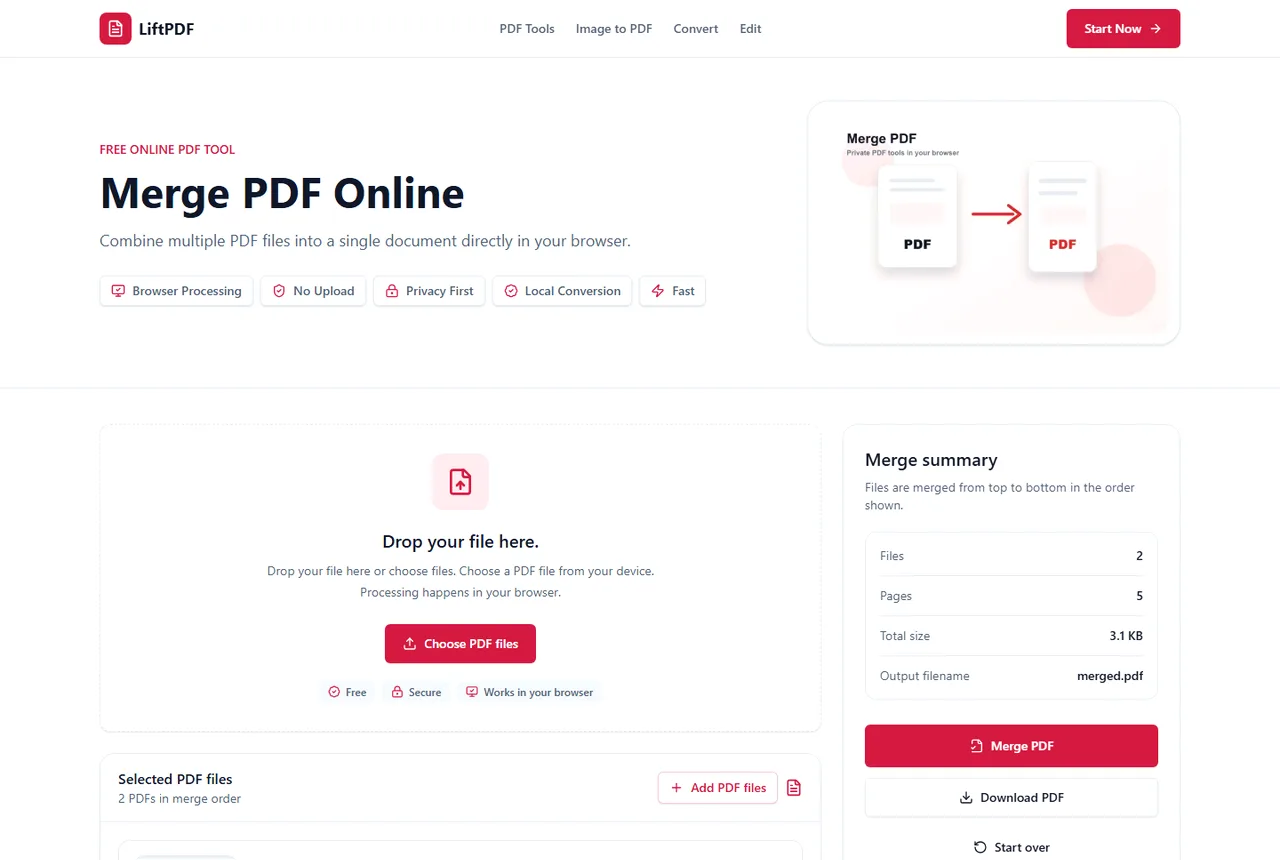
Quick answer
What you need to know first
You do not need Adobe Acrobat for a basic PDF merge. If your files are readable PDFs, LiftPDF can combine them in the browser and download one merged document.
- 1Open LiftPDF Merge PDF.
- 2Upload the PDF files you want to combine.
- 3Reorder files into the final sequence.
- 4Click Merge PDF.
- 5Download the merged PDF.
What you can do without Acrobat
For everyday merging, you usually only need to copy the pages from several PDFs into one new PDF. LiftPDF handles that task without requiring a desktop installation.
This is enough for invoices, reports, packets, scans, forms and attachments where the page content should stay unchanged.
When Adobe may still be useful
Adobe Acrobat is still useful for advanced workflows such as redaction, complex form editing, prepress review, enterprise document controls and deeply integrated cloud workflows.
LiftPDF is best when the task is focused: combine files, keep the order clear and download one PDF privately.
Privacy and browser processing
LiftPDF merges PDFs in your browser for supported files. The pages are copied locally into a new document, so the workflow does not require a document upload API.
That matters for contracts, invoices, reports and personal records. You still need to use good judgment with sensitive files, but avoiding a server upload is a practical privacy advantage.
How to avoid common merge mistakes
Rename files before uploading if their names are confusing. Put cover pages first, then the main document, then attachments. Remove duplicates before merging so the final PDF stays clean.
FAQ
Questions about merging PDFs
Can I merge PDF files for free?
Yes. LiftPDF lets you merge PDF files for free in your browser.
Are my PDFs uploaded to a server?
For supported files, the merge runs locally in your browser. LiftPDF does not need a backend upload API to combine the pages.
Will PDF quality change after merging?
No. LiftPDF copies the original PDF pages into a new document instead of converting them into images.
Can I change the order before merging?
Yes. Reorder the PDF files in the list before exporting. The final PDF follows that order.
Is LiftPDF a full Adobe Acrobat replacement?
No. LiftPDF is a focused browser suite for common PDF tasks. It is useful for merging PDFs without installing Acrobat.
Can I merge PDFs without a subscription?
Yes. The current LiftPDF Merge PDF tool is free and does not require a subscription.
Editorial note
LiftPDF Editorial Team
LiftPDF articles are written against the behavior of the public LiftPDF tools. We avoid fake expert bylines, invented claims and workflows that the product cannot actually perform.
Published Jul 15, 2026. Last updated Jul 16, 2026.