Why Can't I Copy Text From a PDF?
You may not be able to copy text because the PDF is scanned, image-based, protected, damaged or does not contain a usable text layer.
Quick answer
What you need to know first
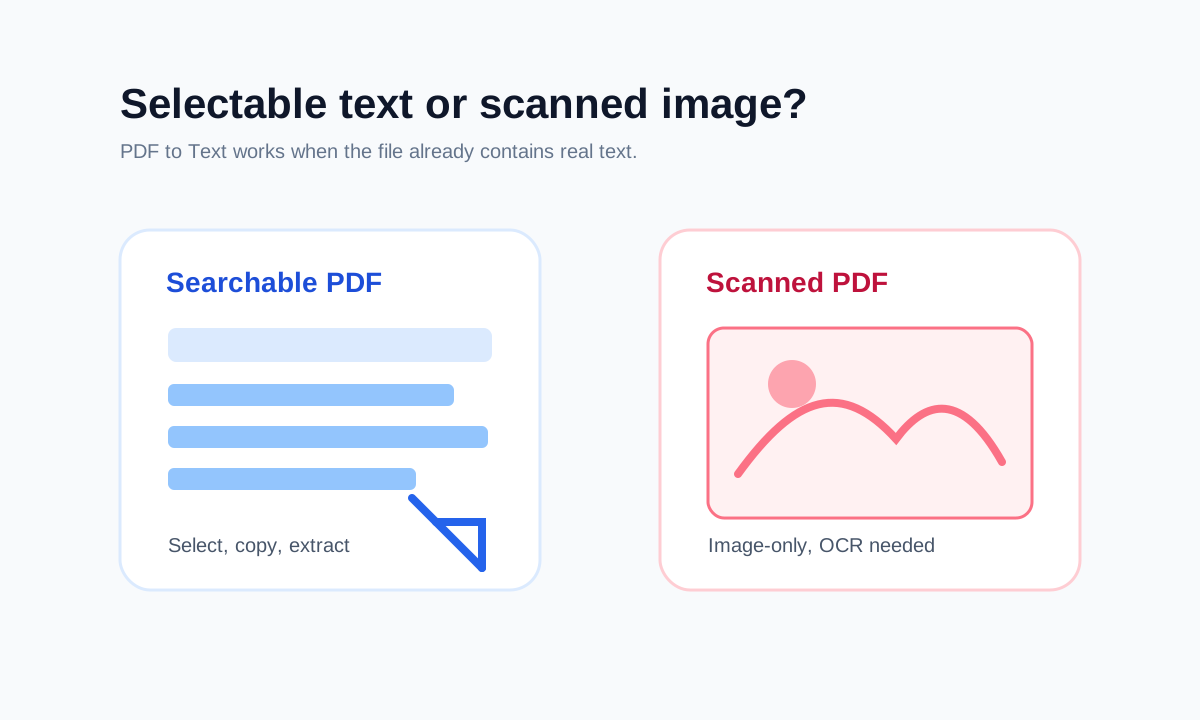
Try selecting one word. If you cannot select individual letters, the PDF is probably scanned or image-only. If it asks for a password, unlock it first with permission.
- 1Try selecting a single word.
- 2Check whether the PDF is password protected.
- 3Use PDF to Text if selectable text exists.
- 4Use OCR software if the PDF is image-only.
The PDF may not contain text
Many scanned PDFs are just images inside a PDF wrapper. They look like documents, but there is no real text for a browser extractor to copy.
If selection draws a rectangle around a page instead of highlighting letters, that is a strong sign that OCR is needed.
Protection can block workflows
Some PDFs require a password before their content can be opened or processed. LiftPDF can unlock protected PDFs only when you provide the correct password.
FAQ
Common questions
Can LiftPDF bypass copy restrictions?
No. LiftPDF does not bypass unknown passwords or permissions. Use it only on files you have permission to process.
Why does copied PDF text look messy?
PDF text can be stored in visual chunks rather than natural reading order, especially in multi-column documents.
Editorial note
LiftPDF Editorial Team
LiftPDF articles are written against the behavior of the public LiftPDF tools. We avoid fake expert bylines, invented claims and workflows that the product cannot actually perform.
Published Jul 17, 2026. Last updated Jul 17, 2026.