Why PDF Text Extraction Fails
Text extraction can fail when a PDF has no selectable text, is protected, is damaged or stores text in an unusual visual order.
Quick answer
What you need to know first
If extraction fails, check whether the PDF is scanned, password-protected, damaged or built with text that does not follow normal reading order.
- 1Open the PDF and try selecting text.
- 2Check whether it asks for a password.
- 3Try a smaller page range if the file is very large.
- 4Use OCR if the PDF is image-only.
A PDF can display text without storing text normally
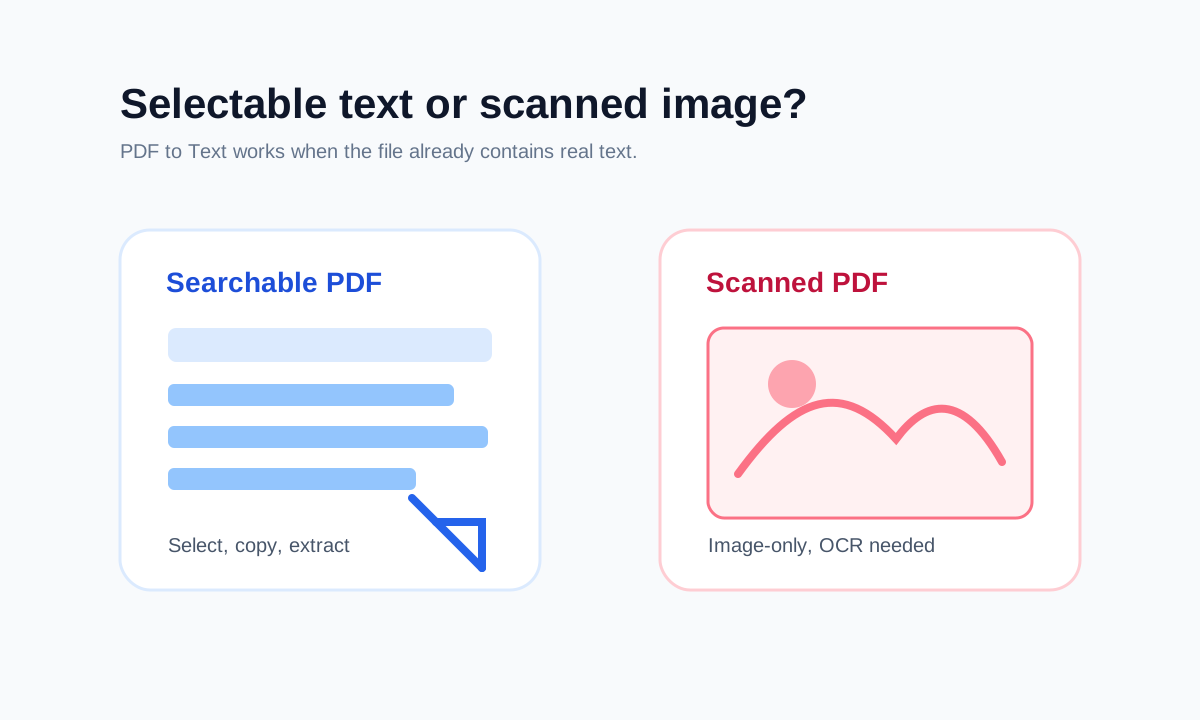
PDFs are visual page documents. Some store text as many positioned fragments. Others store whole pages as images. Both can look readable, but extraction behavior is very different.
That is why extracted text can be missing, out of order or empty even when the page looks fine.
Protected PDFs must be unlocked first
If the PDF is encrypted, text extraction may be blocked until the correct password is provided. Unlocking requires permission and the known password.
FAQ
Common questions
Why is the extracted text out of order?
PDF text can be stored by visual position rather than natural paragraph order, especially in columns or complex layouts.
Why did PDF to Text return no text?
The PDF may be scanned or image-only. OCR is required for those files.
Editorial note
LiftPDF Editorial Team
LiftPDF articles are written against the behavior of the public LiftPDF tools. We avoid fake expert bylines, invented claims and workflows that the product cannot actually perform.
Published Jul 17, 2026. Last updated Jul 17, 2026.